
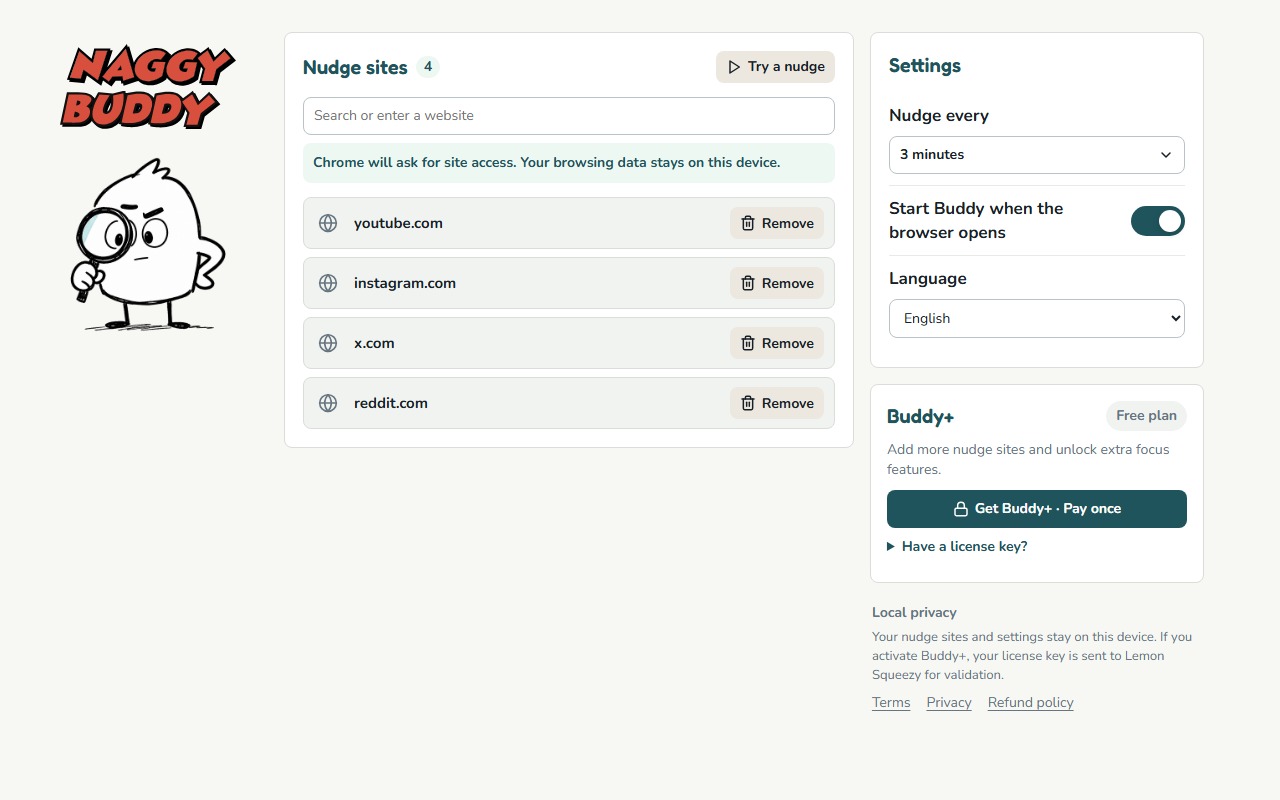
There is no universal focus reminder interval. A one-minute reminder can be useful for checking that a tool works, then become irritating during real use. A twenty-minute reminder can feel calm, but arrive after a fast feed has already taken over.
The goal is not to find a perfect productivity number. It is to place a decision point shortly after you usually stop browsing on purpose.
What a useful reminder should do
A reminder interval should give you enough time to complete the reason you opened a site, while still appearing before you completely forget that reason. That means the right timing depends on the kind of browsing that causes trouble.
- Fast feeds create many stopping points, so a shorter interval can catch the loop sooner.
- Tutorials and longer videos need more room before a reminder becomes useful.
- Mixed-use sites need a compromise because one interval applies whenever that selected site is actively counting.
Use these starting points, not rules
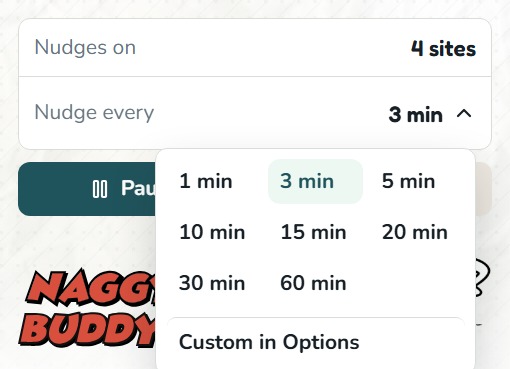
1 minute: confirm the setup
Use one minute when testing whether site access, active-tab tracking, and the overlay are working. For everyday use, it is likely to interrupt before you have done anything useful.
3 minutes: catch fast scrolling early
Three minutes is a practical starting point for short-form feeds, repeated refreshing, or any site where "just checking" quickly becomes a loop. It is also Naggy Buddy's default because users can see the behavior early and decide whether they need more room.
5 to 10 minutes: balance access and awareness
This range gives more space for a useful visit while still creating regular stopping points. Start here when selected sites serve both work and distraction, or when a three-minute reminder feels too eager.
15 to 20 minutes: longer intentional sessions
A longer interval can fit tutorials, community research, or planned breaks. It is less useful for a fast feed if you typically lose your original intention much sooner.
If one shared interval covers several selected sites, start with the site where you lose track of time fastest. Then check whether that timing still leaves enough room for the others.
Signs the reminder is too frequent
- It regularly appears before you finish the task that brought you to the site.
- You dismiss it automatically because the answer is almost always "not yet."
- You pause the tool whenever you do ordinary, legitimate browsing.
- The interruption is more noticeable than the scrolling behavior you wanted to catch.
Increase the interval one step. Do not jump from constant interruption to a reminder so late that it no longer changes the moment.
Signs the reminder is too slow
- You are surprised by how much content you consumed before it appeared.
- You cannot remember the original reason you opened the site.
- The first reminder already feels overdue.
- You close the tab immediately but still wish the prompt had arrived earlier.
Shorten the interval and test again during the same kind of browsing. A setting that works during a quiet tutorial may not work during an endless feed.
Tune it in two passes
- Find the catch point. Start short enough that the first reminder arrives before you fully lose your intention.
- Reduce unnecessary interruption. Increase the interval until useful visits have enough room, without letting the prompt become late.
Change only the interval while testing. If you add many new sites and change the timing at the same time, it becomes difficult to tell what improved the experience.
Do not optimize for never seeing a reminder
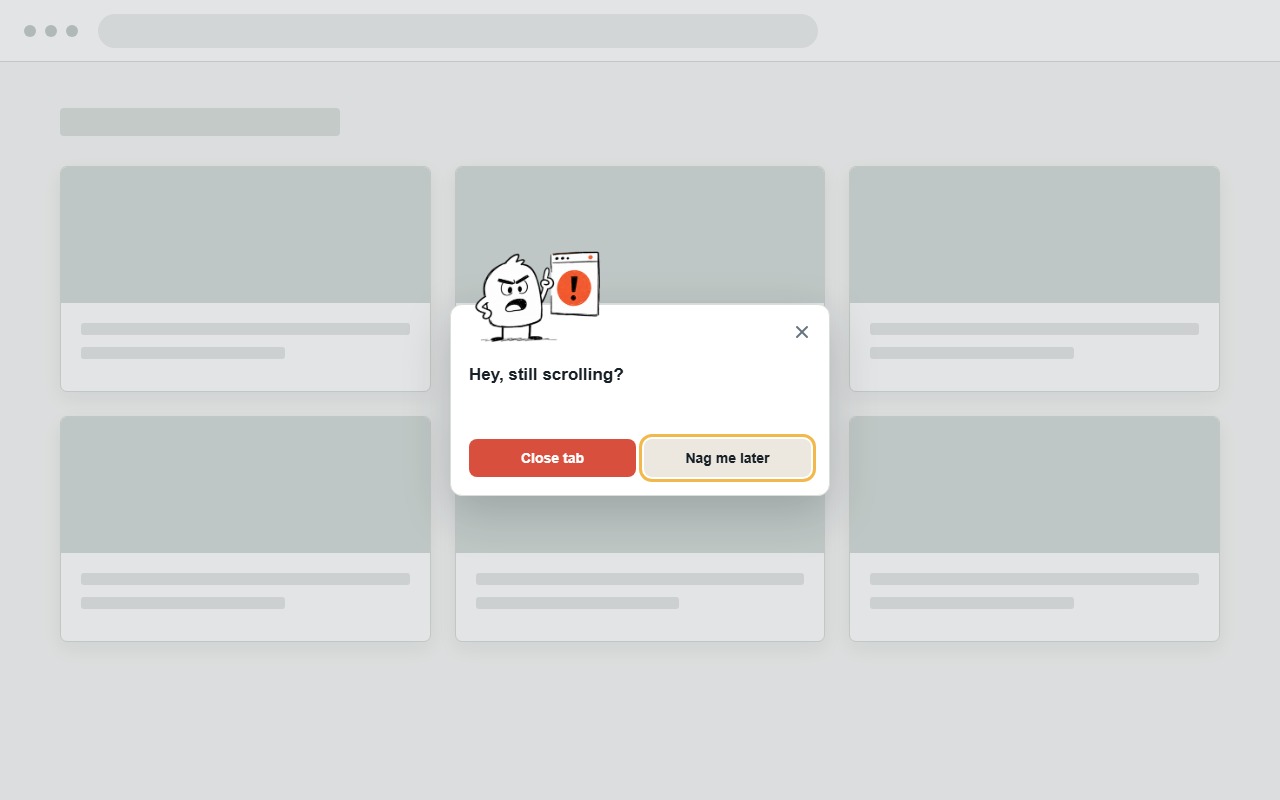
A comfortable setting is not necessarily the one that stays invisible. The reminder exists to create a moment you would otherwise miss. Some interruption is the feature.
The useful test is whether the prompt helps you make a clear choice: leave, continue for a reason, or pause reminders because the current session is genuinely different.